Using a switch as test equipment can be a strategic and cost – effective approach in various testing scenarios. As a test equipment supplier, I’ve witnessed firsthand how switches can be repurposed and utilized to enhance the efficiency and accuracy of testing processes. In this blog, I’ll share insights on how to effectively use a switch as test equipment. Test Equipment
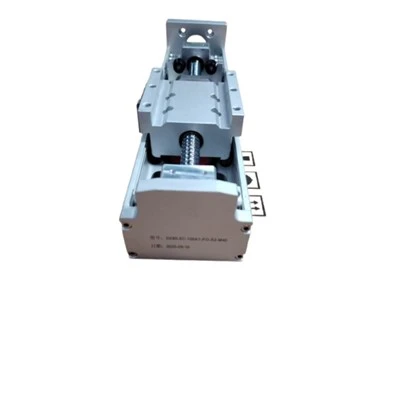
Understanding the Basics of Switches in Testing
Before delving into the practical applications, it’s essential to understand what a switch is in the context of test equipment. A switch is a device that can connect or disconnect electrical circuits. In testing, switches are used to route signals between different components of a test system. They can be mechanical, such as relays, or solid – state, like semiconductor switches.
Mechanical switches, typically relays, are known for their high isolation and ability to handle high voltages and currents. They are often used in applications where a physical break in the circuit is required. On the other hand, solid – state switches offer fast switching speeds, low power consumption, and long lifetimes. They are ideal for high – frequency and high – speed testing applications.
Selecting the Right Switch for Your Test
The first step in using a switch as test equipment is to select the appropriate switch for your specific testing needs. Consider the following factors:
Signal Type
The type of signal you are testing is a crucial factor. If you are dealing with low – level analog signals, a switch with low contact resistance and low leakage current is required. For high – frequency signals, a switch with low insertion loss and high isolation is essential. For digital signals, the switch should be able to handle the appropriate logic levels and switching speeds.
Voltage and Current Ratings
You need to ensure that the switch can handle the voltage and current levels of your test signals. Exceeding the voltage or current ratings can lead to switch failure and inaccurate test results. Make sure to check the datasheet of the switch for its maximum voltage and current ratings.
Switching Speed
The switching speed of the switch is important, especially in high – speed testing applications. Faster switching speeds allow for more rapid testing and can reduce the overall test time. Solid – state switches generally offer faster switching speeds compared to mechanical switches.
Number of Channels
The number of channels required depends on the complexity of your test setup. If you need to test multiple signals simultaneously or route signals to different test instruments, a multi – channel switch may be necessary.
Setting Up the Switch in Your Test System
Once you have selected the right switch, the next step is to set it up in your test system.
Physical Installation
Mount the switch in a suitable location within your test setup. Ensure that it is properly grounded to prevent electrical interference. If you are using a mechanical switch, make sure that the relay contacts are clean and free from debris.
Electrical Connections
Connect the input and output signals to the appropriate terminals of the switch. Follow the wiring diagram provided in the switch’s datasheet. Use high – quality cables to minimize signal loss and interference.
Control Interface
Most switches can be controlled manually or through a control interface, such as a computer or a programmable logic controller (PLC). If you are using a control interface, you need to configure the switch to communicate with the control device. This may involve setting up communication protocols, such as USB, Ethernet, or GPIB.
Using the Switch for Signal Routing
One of the primary functions of a switch in test equipment is signal routing.
Single – Channel Routing
In a simple test setup, you may need to route a single signal to different test instruments. For example, you can use a switch to connect a signal source to an oscilloscope or a spectrum analyzer. By switching the connections, you can perform different types of tests on the same signal.
Multi – Channel Routing
In more complex test setups, you may need to route multiple signals simultaneously. A multi – channel switch can be used to connect multiple signal sources to multiple test instruments. This allows for parallel testing and can significantly reduce the test time.
Using the Switch for Fault Isolation
Switches can also be used for fault isolation in a test system.
Isolating Components
If you suspect that a particular component in your test system is faulty, you can use a switch to isolate it from the rest of the system. By disconnecting the component from the circuit, you can test it independently and determine if it is the source of the problem.
Sequential Testing
You can use a switch to perform sequential testing on different components in a system. By routing the test signals to each component one by one, you can quickly identify the faulty component.
Calibration and Maintenance of the Switch
To ensure accurate test results, it is important to calibrate and maintain the switch regularly.
Calibration
Calibration involves adjusting the switch to ensure that it is operating within its specified parameters. This may include adjusting the contact resistance, insertion loss, and isolation of the switch. Calibration should be performed using a calibrated test instrument, such as a multimeter or a network analyzer.
Maintenance
Regular maintenance of the switch is essential to prevent failures. This includes cleaning the switch contacts, checking for loose connections, and replacing any worn – out components. If you are using a mechanical switch, make sure to lubricate the moving parts periodically.
Integration with Other Test Equipment
Switches can be integrated with other test equipment to create a more comprehensive test system.
Integration with Test Instruments
You can integrate the switch with test instruments, such as oscilloscopes, spectrum analyzers, and power supplies. By using the switch to route signals between the test instruments, you can perform more complex tests.
Integration with Software
Many switches can be controlled using software. You can use test software to automate the switching process and perform tests more efficiently. The software can also be used to record and analyze the test results.
Conclusion
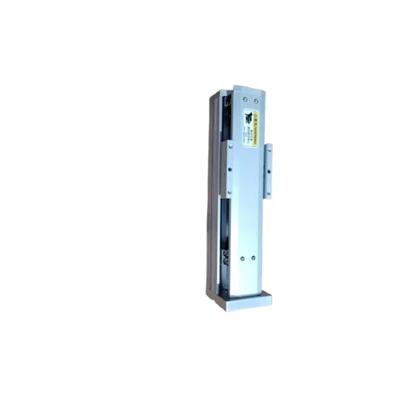
Using a switch as test equipment can provide many benefits, including cost – savings, increased efficiency, and improved test accuracy. By understanding the basics of switches, selecting the right switch for your needs, setting it up properly, and using it for signal routing, fault isolation, and integration with other test equipment, you can create a powerful test system.
Ball Screw Linear Modules If you are interested in learning more about using switches as test equipment or if you are looking for high – quality test equipment, I encourage you to contact us. Our team of experts can provide you with detailed information and help you select the right equipment for your specific testing requirements.
References
- "Test and Measurement Handbook" by Agilent Technologies
- "Electrical Engineering Handbook" by Richard C. Dorf
- Datasheets of various switch manufacturers
Yangning (Xiamen) Intelligent Technology Co., Ltd.
With abundant experience, we are one of the most professional test equipment manufacturers in China. As we have world-leading production equipment and strong manufacturing capabilities, we warmly welcome you to buy bulk advanced test equipment from our factory. Customized orders are welcome.
Address: Room 307-2, No. 15 Duiying Road, Software Park Phase III, Torch Hi-Tech Zone, Xiamen, Fujian, China
E-mail: mia@ynautos.com
WebSite: https://www.ynautos.com/
